Mind map template
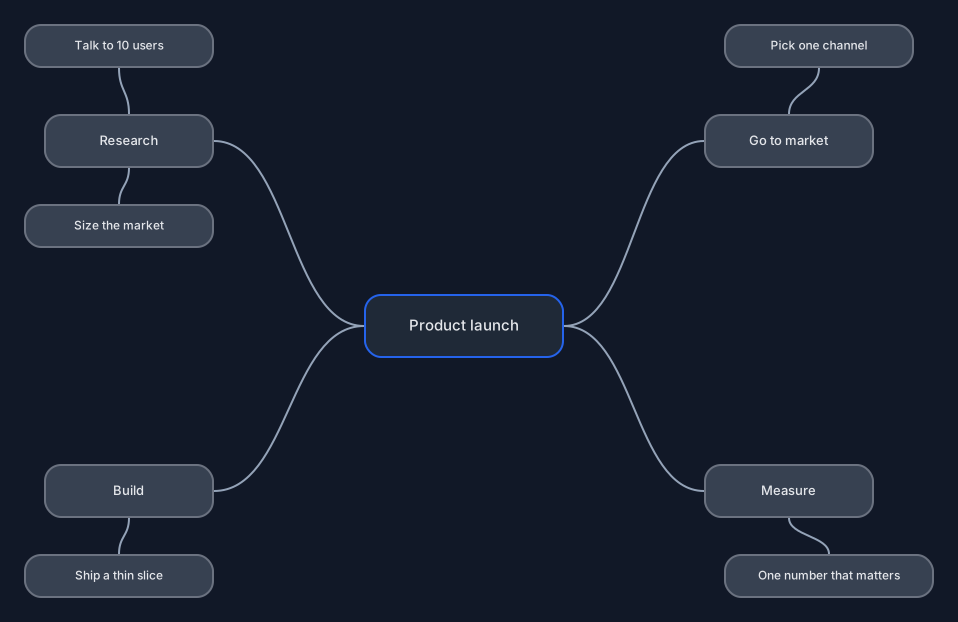
A central topic with four branches and their sub-points, ready to rename.
Open this in the editor or download the board
Mind maps are for the stage before you know the structure, so the content here matters less than the shape. Rename the centre to whatever you are actually thinking about and start replacing branches; the connectors keep themselves tidy while you move things around.
What is in it
- A central node with four branches: Research, Build, Go to market, Measure
- Sub-points hanging off each branch
- Curved mind-map connectors, which route themselves as you move nodes
Editing it
Double-click any node to rename it; press Enter or click away to keep the change. Select a node and three small + handles appear on its left, right and bottom. Click one for a new child on that side, joined by a curved branch line and ready to type into. Drag one and let go on empty canvas to put the child exactly there — the way to grow a branch upward — or let go on another node to cross-link the two.
The branch lines route themselves: move a node and every line touching it bends to follow, with nothing to fix by hand. To move a whole branch, drag a box around it first. Delete removes a node and its lines but leaves its children on the canvas, so select the whole branch if you want it gone. A new child copies the colours of the node it grows from, so restyle a first-level branch before growing it and everything after inherits the colour.
There is no keyboard shortcut for adding a node, and no automatic re-layout of a hand-drawn map. How to make a mind map online covers the rest, including pasting a Mermaid mind map and getting it laid out for you.
Your board is saved in your own browser as you work. Nothing is uploaded to a server, and there is no account to create.
Read next
- How to make a mind map online — The whole workflow, step by step: branching by click and by drag, keeping a big map tidy, styling branches, and importing or exporting a Mermaid mind map.
Authored as a board and validated by importing it into the real editor, then exported back out, so the shipped file is exactly what the editor produces.